
Is Firefox actually private?
Firefox offers strong privacy defaults, but no browser is invisible. Run a live analysis to see exactly what your Firefox installation exposes today.
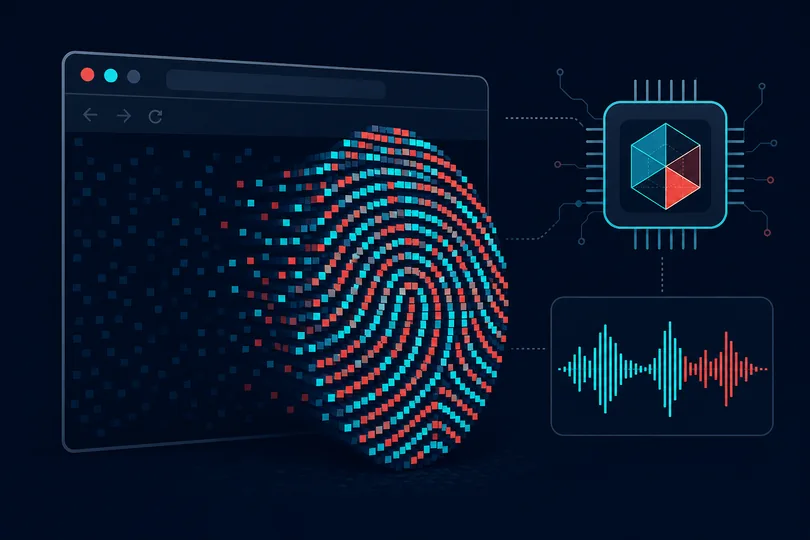
What Firefox does — and doesn't — protect
Firefox ships with Enhanced Tracking Protection (ETP) enabled by default, which blocks known third-party trackers, cross-site cookies, and cryptominers. In Strict mode it also blocks some fingerprinting scripts. Mozilla's Total Cookie Protection confines each site's cookies to an isolated "cookie jar", preventing cross-site tracking via cookie sharing.
These protections meaningfully reduce surveillance from advertising networks. However, they do not eliminate browser fingerprinting — the technique of combining dozens of passive signals to identify your device without any cookie at all.
Even a stock Firefox installation broadcasts a User-Agent string identifying the
browser version and operating system, HTTP headers such as Accept-Language
and Sec-Fetch-*, and JavaScript-accessible properties like your screen
resolution, timezone, language preferences, and hardware concurrency. Canvas and WebGL
rendering calls produce slightly different pixel outputs on every hardware and driver
combination, creating a highly stable identifier.
Firefox users who enable resist fingerprinting
(privacy.resistFingerprinting or Firefox's Strict ETP) will see canvas
and WebGL probes return uniform, spoofed values — greatly reducing fingerprint
uniqueness. The Firefox Privacy Guide on Mozilla's site covers this in
detail. Extensions like uBlock Origin in medium/hard mode further reduce the attack
surface by blocking analytics scripts before they run.
The result is that Firefox users occupy a wide privacy spectrum: a default Firefox on
Windows may score moderately, while a hardened Firefox with
resist fingerprinting enabled can achieve a high privacy score. The only
way to know where you stand is to run a live analysis.
What we measure in your Firefox session
- User-Agent & Client Hints — browser version, OS, platform bits
- HTTP headers — Accept-Language, Sec-Fetch-*, DNT, Sec-GPC
- Screen & display — resolution, color depth, pixel ratio
- System locale & timezone — Intl API, timezone offset consistency
- Canvas fingerprint — detects noise injection or blank-canvas spoofing
- WebGL — renderer, vendor, extension list, parameter bundle
- Audio fingerprint — AudioContext characteristics, block detection
- Font detection — which system fonts are available via glyph metrics
- Hardware signals — CPU cores, device memory, connection type
- IP geolocation — country, region, ISP (local MaxMind lookup)
Run a live privacy analysis on your Firefox browser — no account required.
Check my Firefox nowFrequently asked questions
Does Firefox's private window prevent fingerprinting?
No. Firefox's private browsing mode clears cookies and history after the session
ends, but it does not change the signals your browser sends during the session.
Your User-Agent, screen size, canvas output, and other fingerprint vectors remain
identical in private windows. Only Firefox with resist fingerprinting
or Tor Browser meaningfully reduces fingerprint uniqueness.
Does enabling "resist fingerprinting" break websites?
It can cause minor compatibility issues: canvas-based games, certain font rendering features, and some third-party widgets may behave unexpectedly. Timezone spoofing (always reported as UTC) is the most common source of breakage. Most informational websites work fine. You can toggle it per-site in Firefox's permissions panel if needed.
How does Firefox compare to Tor Browser for privacy?
Tor Browser is based on Firefox ESR with resist fingerprinting
permanently enabled, all traffic routed through the Tor anonymity network, and window
sizes normalized to prevent screen-size fingerprinting. For anonymous browsing it
significantly outperforms standard Firefox. The trade-off is slower performance and
some site incompatibilities. For everyday use, a hardened Firefox remains a strong
middle ground.